 Kol
KolK7Q4XZ
Your own Kol ID
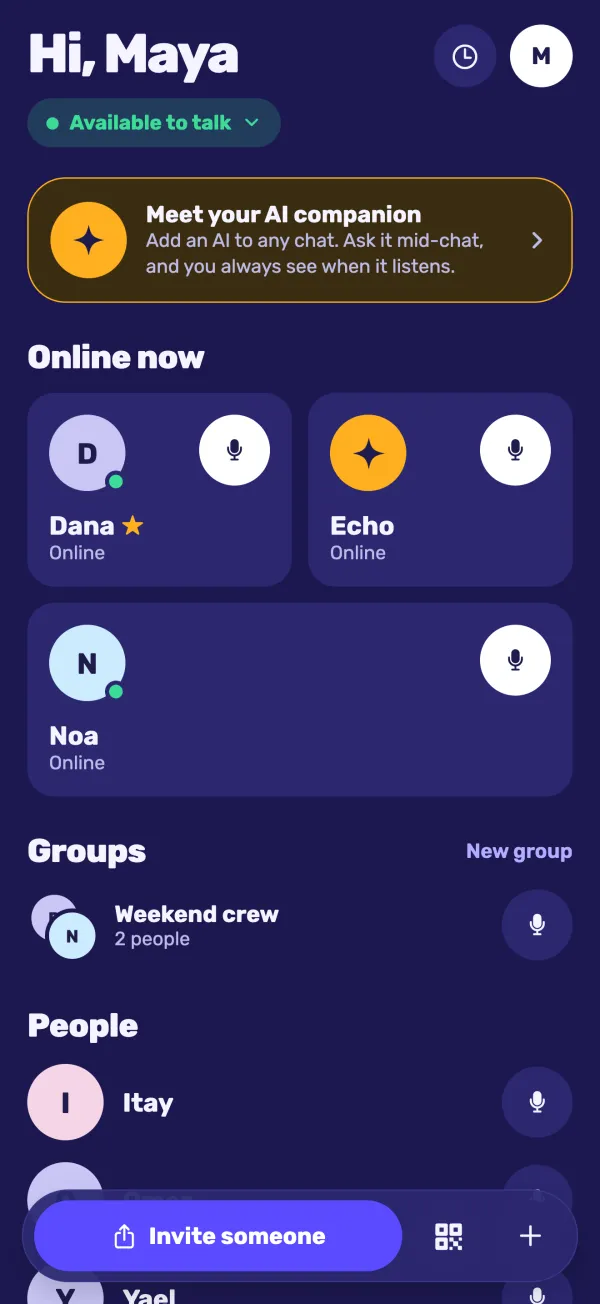
No phone number, no sign-up. Open the app and you get a six-character ID. Share it, or send a link.
Talk to friends with one press. Then add an AI to the conversation and ask it anything, mid-chat. It sits in the call like everyone else, and you always see when it's listening.
Hold to talk
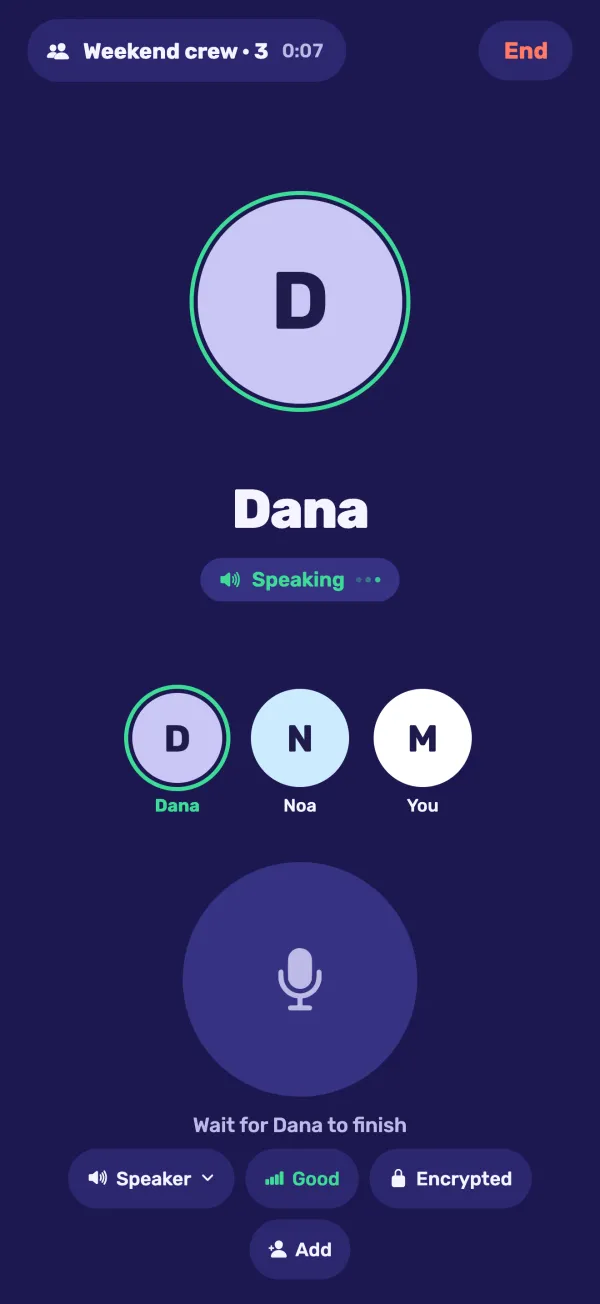
Weekend crew · 3 in the call
Try it: hold the button Space
Like a real radio
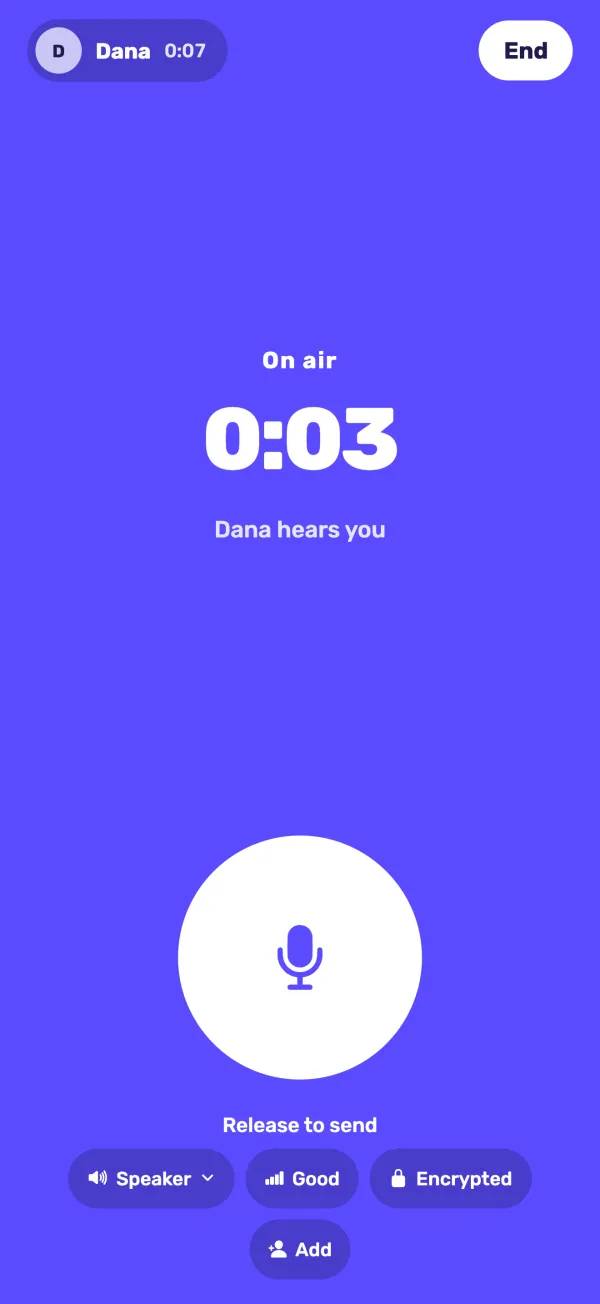
No ringing, no waiting for someone to pick up. One person talks at a time, and everyone hears it the moment you let go.
Spark
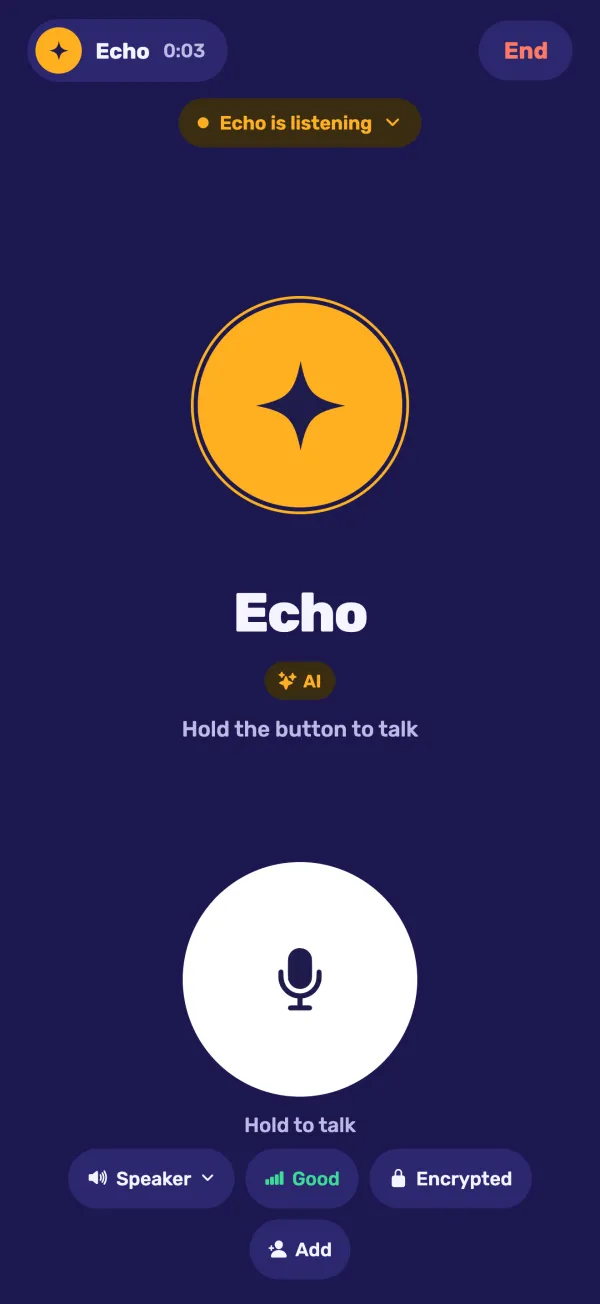
Bring an AI into a call and ask it anything, right in the middle of the conversation. It joins like a person in the call: it hears what's said and answers out loud.
You always see when it listens.
An AI in a call is an amber circle with a ring and a label, visible to everyone. Anyone in the call can mute it or remove it, and it takes effect right away. Amber is for the AI only, so you never have to guess.
Made to be simple
No phone number, no sign-up. Open the app and you get a six-character ID. Share it, or send a link.
Calls go straight from phone to phone and are encrypted. Nobody records them, and your contacts, history and groups stay on your phone.
Up to six people in one call. Make a group once, then talk with one press.
Open Kol in your browser and scan the code with your phone. Talk from your computer with the same ID and contacts.
Open Kol on your computerReinstalling Kol or moving to a new phone brings back your ID, name and contacts. No setup screens.
A look inside
FAQ
No. Kol gives you a six-character ID the first time you open it. Share the ID or a link, and people can call you. No phone number, no email, no password.
No. An AI is only in a call when someone adds it, and while it's there everyone sees an amber circle with a "listening" label. Anyone in the call can mute it or remove it.
No. Voice goes straight from phone to phone, encrypted. When a direct connection isn't possible it passes through an encrypted relay, which can't listen and doesn't store anything. When you talk to an AI, the AI's provider processes that audio to answer you. Read the privacy policy.
Kol is on Google Play for Android today. The iPhone app is coming to the App Store soon.
Yes. Open Kol in your browser and scan the code it shows with Kol on your phone (Settings → Link a computer). Your computer then uses the same ID and contacts. Open Kol on your computer.
Install it again and Kol brings back your ID, name and contacts. On iPhone this uses your Keychain; on Android it needs a Google account on the phone. To erase everything instead, use Settings → Delete my data before you uninstall.
Yes. Kol speaks English and Hebrew, and every screen is fully right to left in Hebrew. It also follows your phone's light or dark mode.
Free to download. Your ID is ready the moment you open it.